Trial 15 zile — verificare card 1 €. Configurare asistată inclusă.
Începe acum
🏁
Reading your Z-report
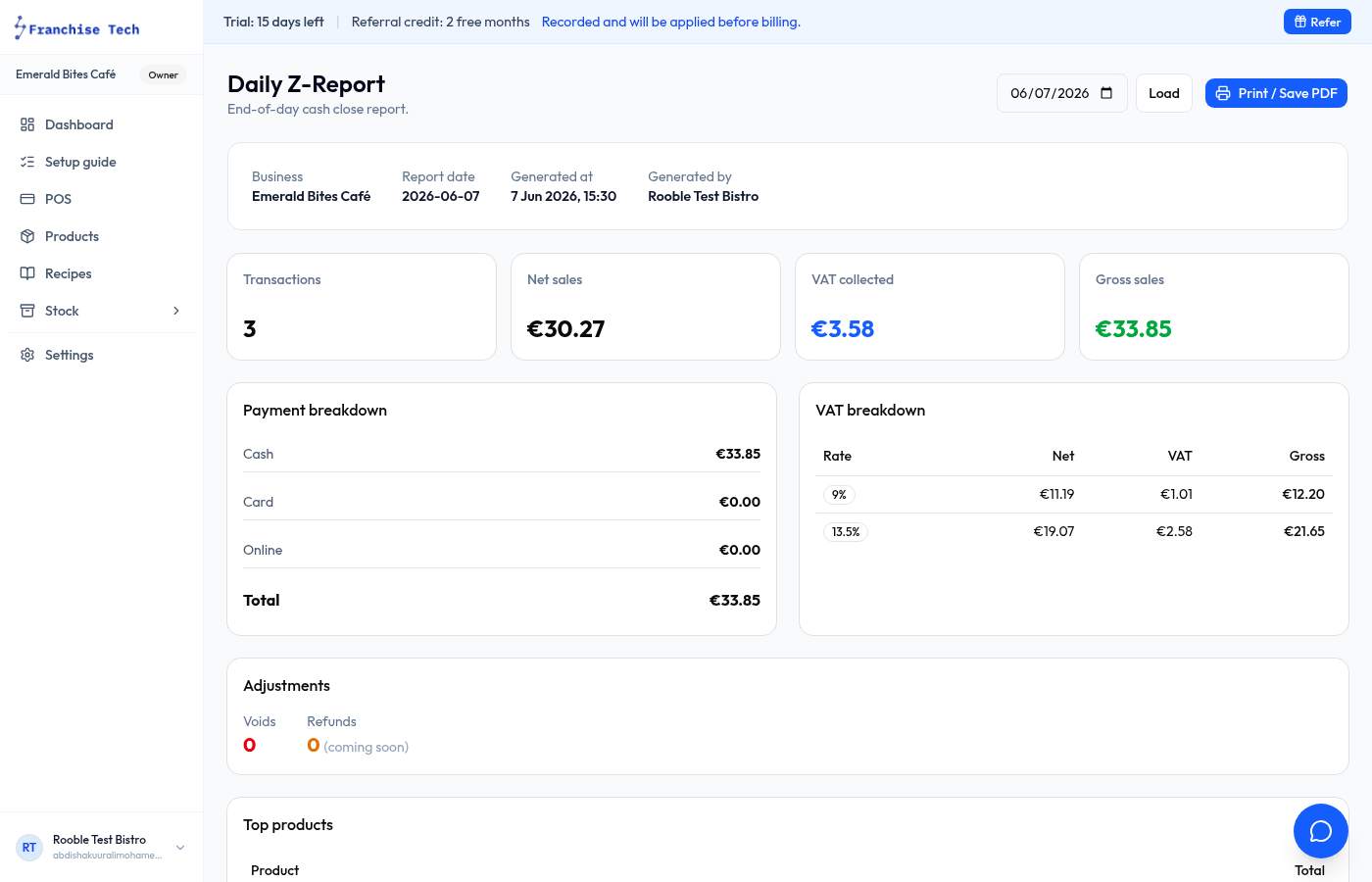
The Z-report is your end-of-day till close summary — used to reconcile cash and verify takings.
Reports4 steps
- 1
Open the Z-report
Go to Reports → Till closes in the sidebar.
- 2
Select the date
Use the date picker to choose any trading day. Each till close for that day is listed.
- 3
Check the totals
The report shows Total sales, Cash sales, Card sales, Refunds, and Net. Compare Cash on hand against your physical cash to spot discrepancies.
- 4
Print or export
Press Print (or save as PDF) to keep a copy for your records. Often required for VAT filing.
You are all set!
Still stuck? Use the chat widget in the bottom-right corner — our team replies within one business day.