Urmați această listă când configurați franchisetech prima dată, ca să vă asigurați că este pregătit pentru folosirea reală.
Adăugați numele și datele afacerii în Setări
Adăugați categoriile de produse (ex. Cafea, Mâncare, Băuturi)
Adăugați cel puțin câteva produse cu prețuri și cote TVA
Marcați fiecare produs ca disponibil în POS dacă vreți să apară la casă
Adăugați utilizatori din personal și atribuiți roluri (casier sau manager)
Configurați metodele de plată (numerar, card și orice tip personalizat folosiți)
Configurați cotele TVA dacă vindeți articole la cote diferite
Configurați preferințele de bon dacă folosiți o imprimantă de bonuri
Rulați o vânzare de test și procesați un retur de test ca să confirmați că totul funcționează
Verificați rapoartele după vânzarea de test ca să confirmați că datele apar corect
Primii pași
Listă de verificare închidere zilnică
Parcurgeți această listă la finalul fiecărei zile de lucru ca să închideți corect și să păstrați evidențe clare.
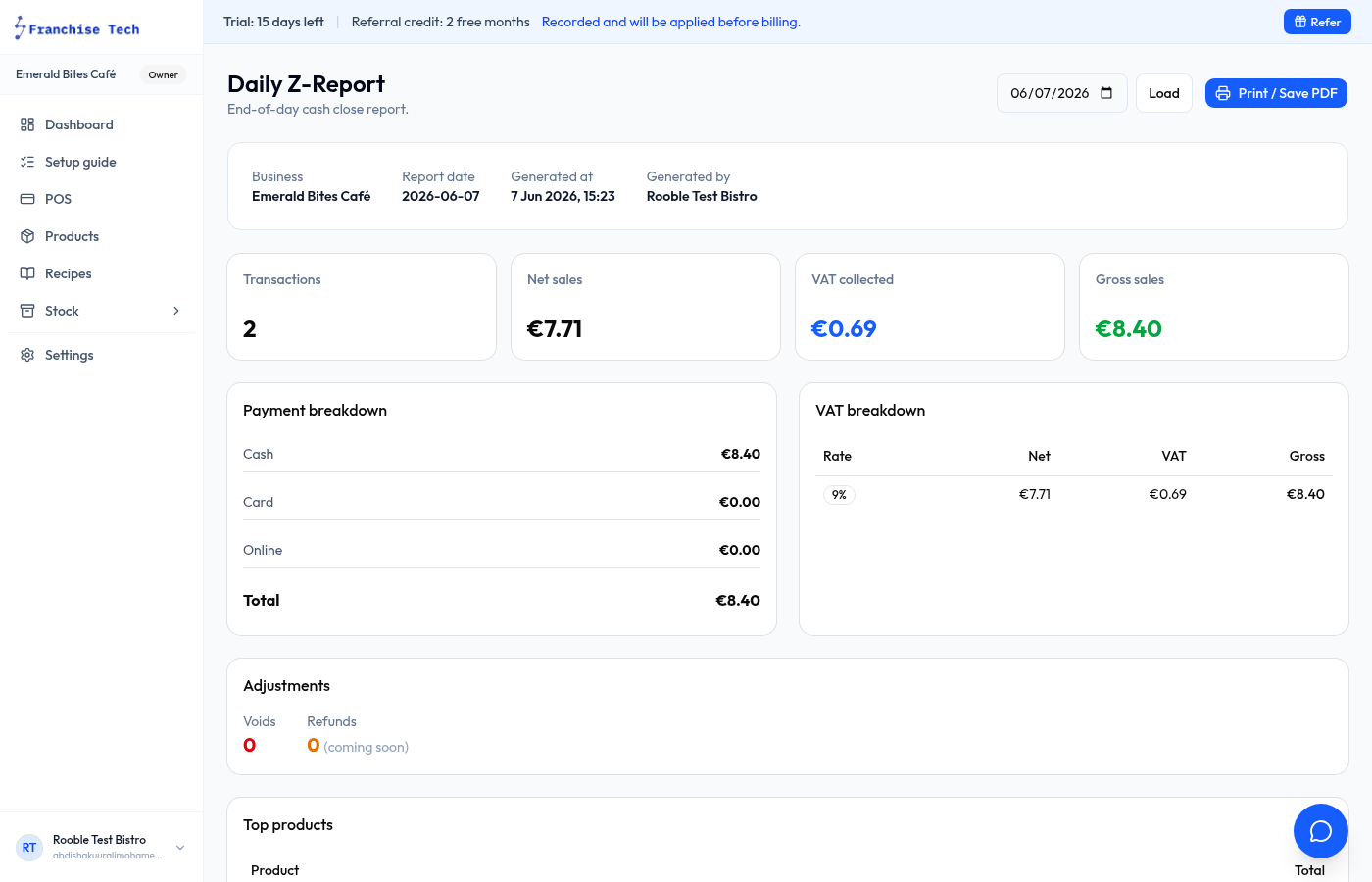
Revizuiți raportul de vânzări de azi — vânzări totale, număr tranzacții și defalcare pe metodă de plată
Numărați numerarul fizic din sertar
Comparați numerarul numărat cu suma așteptată din franchisetech
Înregistrați orice mișcare de numerar neînregistrată în timpul zilei (ieșiri numerar, ajustări fond de casă)
Verificați retururile sau anulările — confirmați că au fost autorizate și înregistrate corect
Revizuiți activitatea personalului dacă e relevant — cine a procesat tranzacții, retururi sau mișcări de numerar
Închideți sesiunea de casă ca să blocați evidențele zilei
Exportați sau salvați o captură a raportului Z / rezumatului de închidere pentru evidențele dvs.
Notați problemele de stoc sau modificările de produse necesare pentru mâine
Primii pași
Listă de verificare permisiuni personal
Setați nivelurile corecte de acces pentru fiecare membru al echipei înainte să înceapă să folosească franchisetech.
Rol casier
Acces la casa de marcat
Poate procesa vânzări și bonuri
Poate aplica reduceri preconfigurate
Poate înregistra datele clientului
Nu are acces la setări sau configurări financiare
Rol manager
Tot accesul de casier
Poate procesa retururi și anulări
Poate înregistra intrări/ieșiri de numerar
Acces la rapoarte și istoricul tranzacțiilor
Poate accesa setările dacă proprietarul permite
Vizibilitate jurnal de audit
Bună practică: Atribuiți minimul de permisiuni necesar pentru fiecare rol. Revizuiți periodic permisiunile pe măsură ce echipa se schimbă.
Hardware și plăți
Listă de verificare compatibilitate hardware
Confirmați dispozitivele suportate și hardware-ul fiscal la configurare, înainte de a folosi franchisetech cu clienți reali.
Verificați înainte de lansare
Un browser modern suportat pe dispozitivul de casă
Acces stabil la rețeaua locală acolo unde hardware-ul fiscal îl cere
O casă de marcat sau imprimantă fiscală compatibilă, certificată în România
FiscalNet instalat și testat local pentru bonuri fiscale
Grupe TVA și mapări de plată corecte
Notă: franchisetech nu pretinde compatibilitate cu orice dispozitiv sau casă de marcat fiscală. Confirmați configurația exactă cu echipa de suport.
Ghid pe domeniu
Ghid POS pentru cafenele
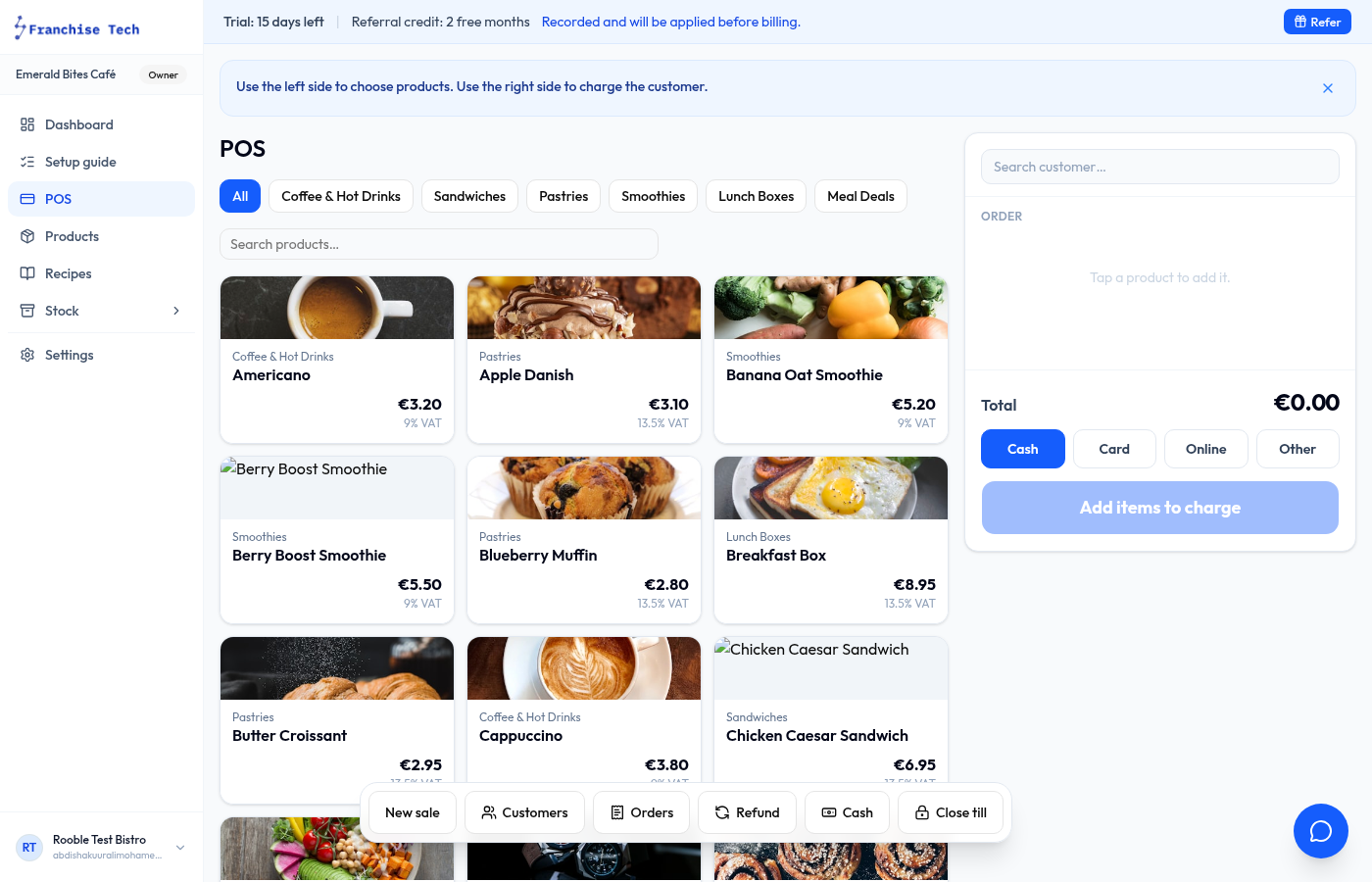
franchisetech se potrivește natural cu ritmul unei tejghele de cafenea — introducere rapidă a comenzilor, urmărire numerar și card, și o închidere de zi clară.
Configurați categorii de produse: Băuturi calde, Băuturi reci, Mâncare, Patiserie
Adăugați opțiuni (ex. tip de lapte, mărime) ca produse separate sau variante
Folosiți grila rapidă de produse ca să aveți articolele populare la îndemână
Rulați plăți combinate numerar/card sau separați-le ca metode de plată diferite
Înregistrați fondul de casă de deschidere și mișcările de numerar din timpul zilei
Verificați vânzările zilnice la închidere ca să vedeți venitul total, cele mai vândute produse și soldul de numerar
Urmăriți ingredientele (lapte, cafea boabe, siropuri) pentru vizibilitate stoc și cost rețete
Ghid pe domeniu
Ghid POS pentru takeaway
Viteza contează cel mai mult la fast-food. franchisetech păstrează checkout-ul rapid și vă dă controlul de numerar necesar.
Păstrați grila de produse simplă — grupați pe tip de meniu sau combinații populare
Adăugați note la comandă pentru instrucțiuni de bucătărie per tranzacție
Folosiți reduceri pentru meniuri, oferte de fidelitate sau reduceri de final de zi
Înregistrați regulat intrările/ieșirile de numerar în perioadele aglomerate ca fondul de casă să rămână corect
Procesați retururi rapid, fără să părăsiți ecranul POS
Folosiți raportul de închidere ca să revizuiți încasările pe numerar și card
Ghid pe domeniu
Ghid POS pentru patiserii/brutării
Patiseriile au nevoie de viteză la tejghea, date clare despre cele mai vândute produse și vizibilitate bună a stocului la deschiderea fiecărei zile.
Organizați produsele pe categorii: Pâine, Patiserie, Prăjituri, Băuturi
Marcați rapid produsele ca epuizate în timpul zilei când stocul scade
Folosiți rapoartele de performanță ca să vedeți ce produse se vând cel mai rapid dimineața
Urmăriți materiile prime (făină, unt, ouă) ca să înțelegeți costurile ingredientelor
Construiți rețete pentru produsele cheie ca să vedeți costul pe unitate și marja brută
Revizuiți stocul de deschidere în fiecare dimineață ca să planificați producția zilei
Ghid pe domeniu
Ghid POS pentru food truck
franchisetech rulează ca PWA pe orice dispozitiv, ideal pentru configurări mobile cu hardware limitat.
Instalați franchisetech ca PWA pe telefon sau tabletă pentru acces portabil la casă
Rulați POS-ul din browser pe telefon sau tabletă, fără instalare suplimentară
Păstrați lista de produse scurtă și concentrată pe meniul zilei
Folosiți intrări/ieșiri de numerar ca să înregistrați fondul de deschidere și orice mișcare de rest
Revizuiți totalul zilnic la finalul fiecărui eveniment
Exportați înregistrările tranzacțiilor pentru contabilitate corectă după fiecare zi de eveniment
Ghid pe domeniu
Ghid POS pentru magazine retail
franchisetech gestionează catalogul de produse, reducerile, bonurile și raportarea zilnică de care au nevoie magazinele retail.
Adăugați întreaga gamă de produse pe categorii (ex. Îmbrăcăminte, Accesorii, Cadouri)
Setați prețuri de vânzare, prețuri standard și aplicați reduceri la punctul de vânzare
Emiteți bonuri pentru toate tranzacțiile — important pentru gestionarea retururilor și garanțiilor
Folosiți permisiunile de personal ca să controlați cine poate procesa retururi sau accesa rapoarte
Verificați zilnic tabloul de bord al vânzărilor ca să vedeți ce linii de produse performează
Folosiți funcția de import ca să încărcați cataloage mari de produse dintr-un fișier
Ghid pe domeniu
Ghid POS pentru saloane și frizerii
Saloanele și frizeriile vând o combinație de servicii și produse. franchisetech gestionează ambele într-un checkout simplu.
Adăugați serviciile ca produse (ex. Tuns, Vopsit, Coafat) cu prețuri fixe
Adăugați produsele de vânzare (șampon, produse de styling) într-o categorie separată
Atașați numele clienților la tranzacții pentru urmărirea de bază a programărilor
Înregistrați ce membru al echipei a efectuat fiecare serviciu, pentru atribuire
Folosiți numerar și card ca metode de plată separate pentru o reconciliere zilnică precisă
Verificați totalurile de final de zi per angajat ca să înțelegeți performanța individuală
Ghid pe domeniu
Ghid POS pentru francize și operatori cu mai multe locații
franchisetech susține afacerile cu mai multe locații prin configurări consistente de produse, acces pe roluri pentru personal și raportare la nivel de locație.
Creați un workspace separat pentru fiecare locație, cu produse și personal propriu
Folosiți o denumire și o structură de categorii consistentă la toate locațiile
Atribuiți roluri de manager la fiecare locație responsabililor locali
Revizuiți separat rapoartele zilnice ale fiecărei locații pentru comparație de performanță
Folosiți aceeași configurare a metodelor de plată la toate locațiile pentru raportare consistentă
Exportați datele tranzacțiilor per locație pentru contabilitate consolidată
Planificați actualizările de produse central, înainte de a le trimite către locațiile individuale
Întrebări frecvente
Răspunsuri oneste despre cum funcționează franchisetech și ce presupune.
Pentru ce afaceri este construit franchisetech?
franchisetech este construit pentru cafenele, restaurante, takeaway, patiserii/brutării, food truck-uri, magazine retail, saloane, frizerii și operatori de francize. Orice afacere locală în creștere care are nevoie de un POS practic și evidențe zilnice clare se potrivește.
Funcționează franchisetech pe tabletă?
Da. POS-ul este o aplicație web progresivă (PWA) care funcționează în browsere moderne suportate, pe tabletă sau desktop. Compatibilitatea cu hardware-ul fiscal trebuie verificată la configurare.
franchisetech este potrivit pentru mai multe locații?
Da. Fiecare locație este un workspace separat, cu produse, personal, sesiuni de casă și rapoarte proprii. Proprietarii pot păstra cataloage de produse și raportare consistente pe toate locațiile.
Pot urmări ingredientele și calcula marjele pe rețete?
Da. Adăugați ingredientele ca articole de stoc, legați-le de rețete, iar franchisetech calculează costul per porție, procentul marjei brute și câte porții puteți face din stocul curent.
Pot importa produsele pe care le am deja?
Da. Descărcați un șablon CSV, completați produsele și importați-le. Importul este disponibil pentru produse, ingrediente, furnizori, achiziții, rețete și clienți.