
🎁
Configurați programul de fidelizare
Activați cardul de ștampile pe numărul de telefon, configurați recompensa și vedeți clienții fideli care nu au mai venit.
- 1
Activați modulul
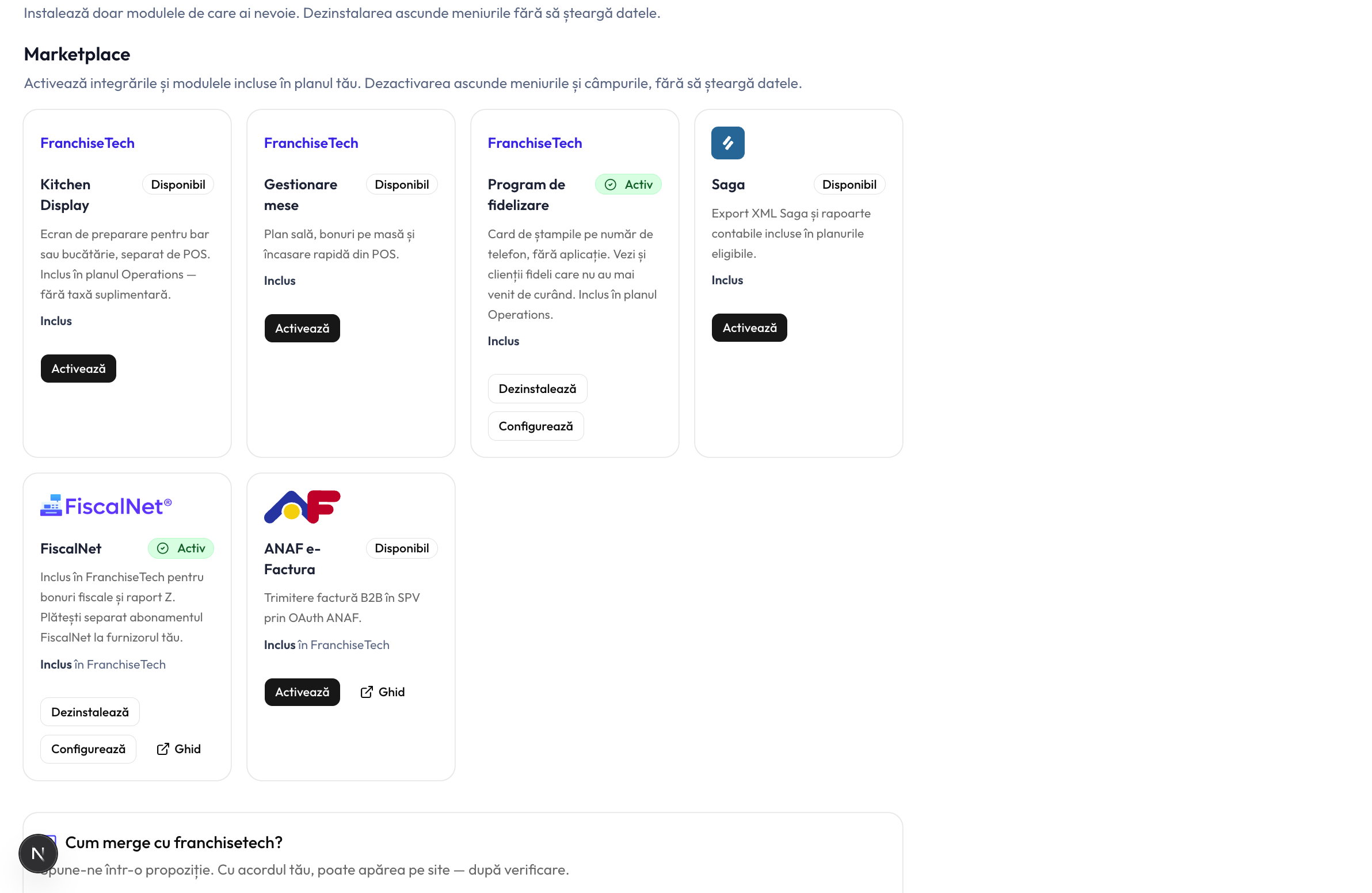
Deschideți Setări → Integrări și găsiți cardul Program de fidelizare din Marketplace. Apăsați Activează. Este inclus în planul Operations și disponibil ca add-on plătit pe Starter.
- 2
Configurați recompensa
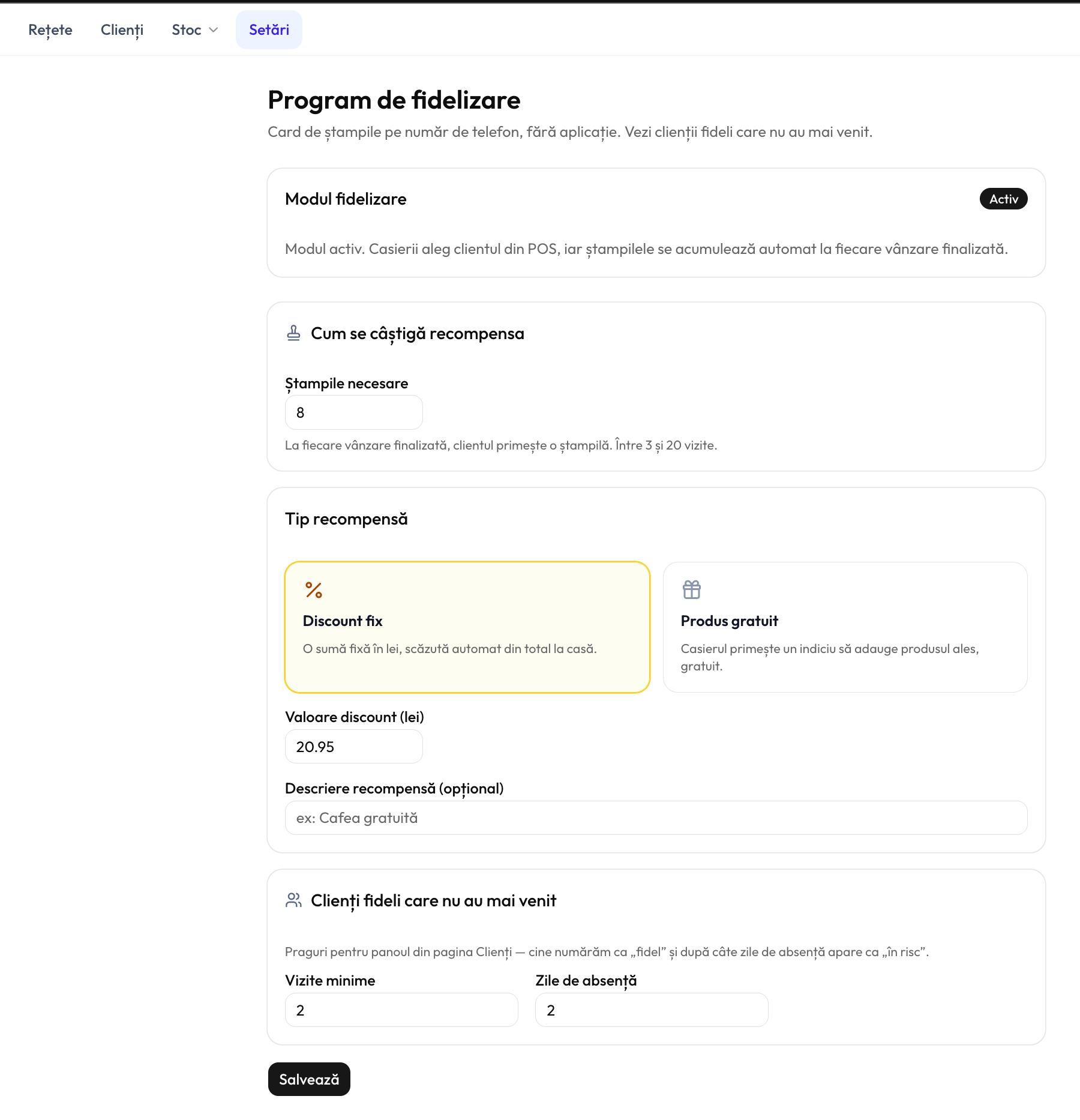
Deschideți Setări fidelizare. Alegeți câte ștampile aduc o recompensă (3–20), alegeți Discount fix (o sumă fixă în lei scăzută din total) sau Produs gratuit (aplicat manual de casier), apoi setați pragurile pentru panoul de clienți fideli în risc — vizite minime și zile de absență. Apăsați Salvează.
- 3
Cum funcționează la casă
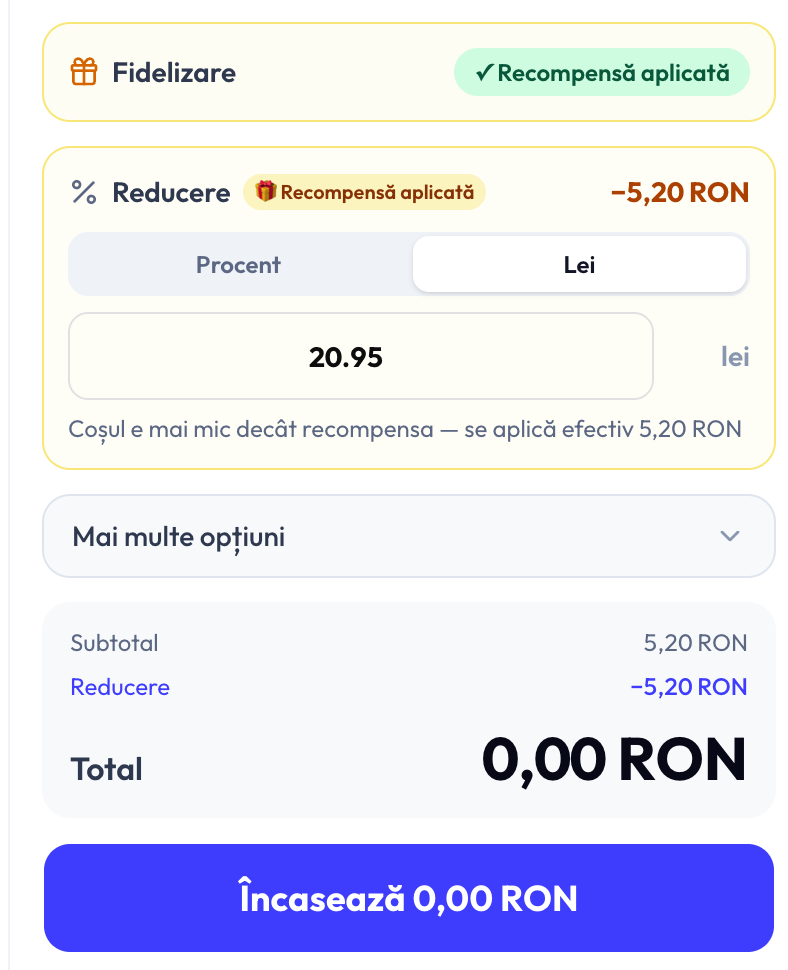
În POS, selectați clientul ca de obicei. Apare un panou Fidelizare care arată progresul ștampilelor. Fiecare vânzare finalizată adaugă automat o ștampilă — nimic în plus pentru personal. Când recompensa e gata, atingeți-o pentru a aplica reducerea; atingeți din nou pentru a o anula înainte de încasare.
- 4
Vedeți cine s-a îndepărtat
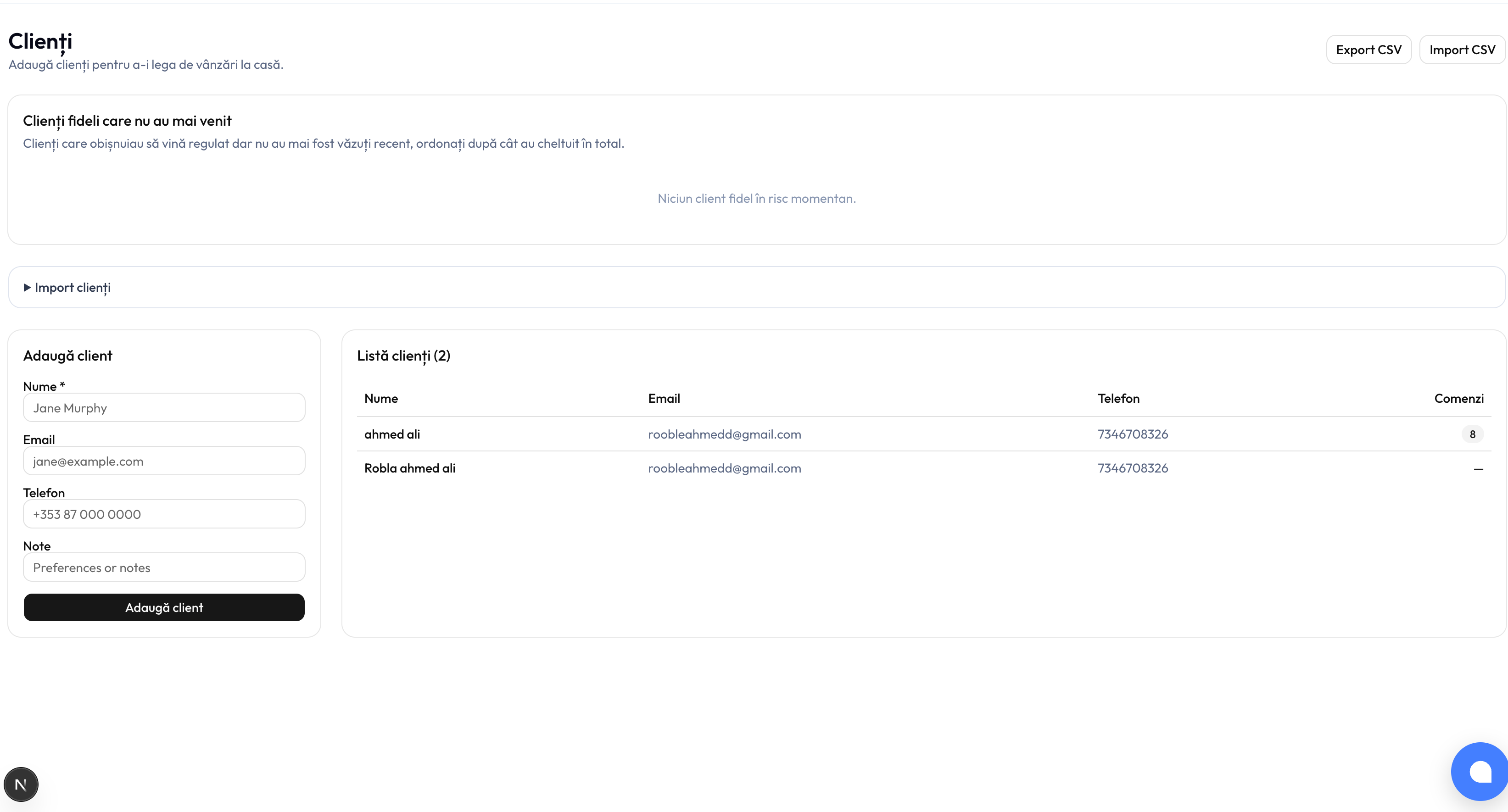
Deschideți Clienți. Panoul Clienți fideli care nu au mai venit listează clienții obișnuiți care veneau des dar nu au mai fost văzuți recent, ordonați după cât au cheltuit — util pentru o urmărire personală.
Sunteți gata!
Tot aveți nevoie de ajutor? Scrieți la info@franchisetech.ro — echipa noastră răspunde în maximum o zi lucrătoare.